 Tempo
Tempo
One unified inbox
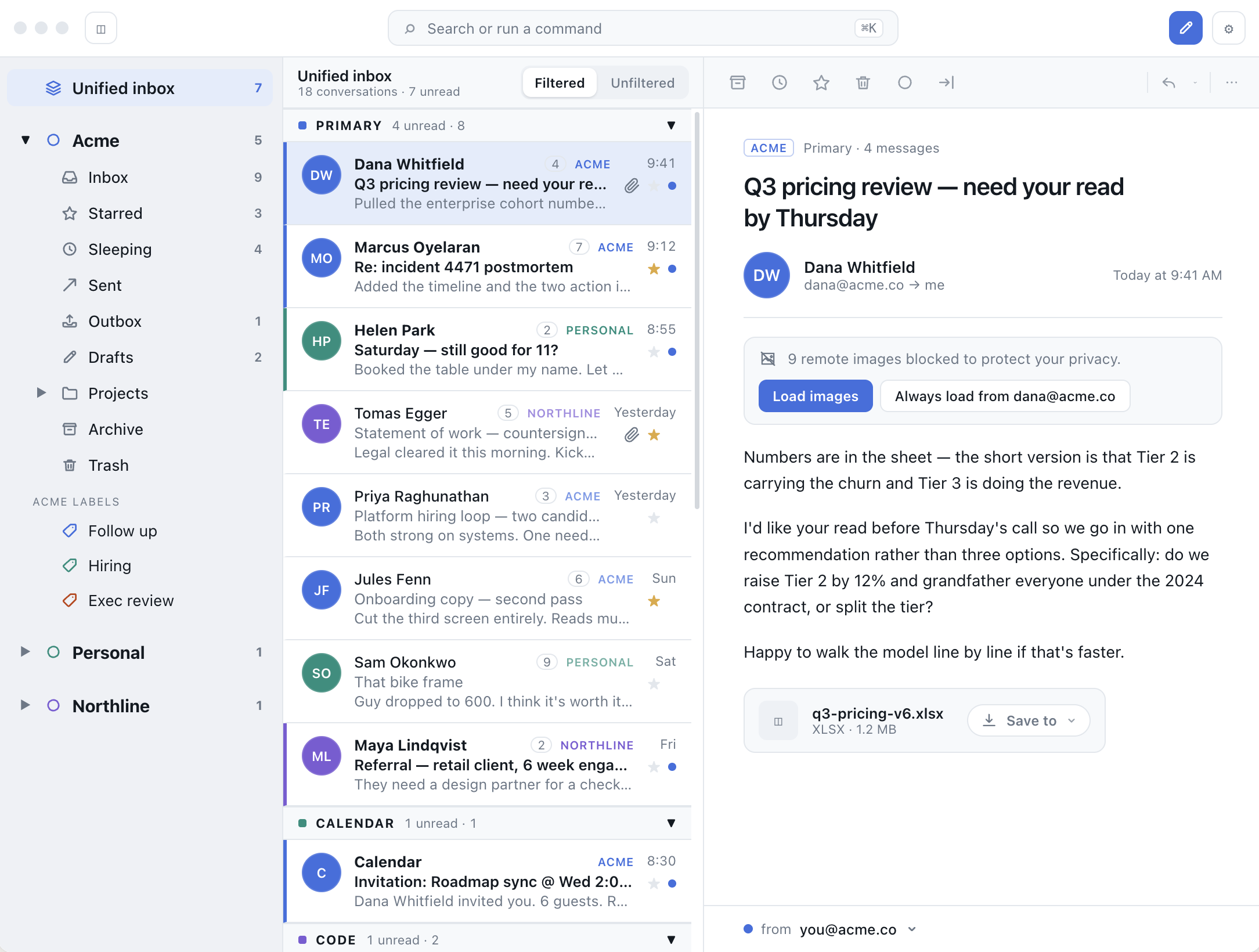
Work, personal and client accounts in a single list, colour-coded by account and grouped into Primary, Calendar and more. Switch to Unfiltered when you want to see everything.
Tempo is a keyboard-first email client for macOS. Every account lands in one unified inbox, and your mail is indexed on your Mac, so folders, threads and search open before you've finished reaching for them.
Works with the mail you already have
Tempo is made for people who live in their inbox. Every action has a key, every account sits in one list, and nothing waits on a server round trip.
Work, personal and client accounts in a single list, colour-coded by account and grouped into Primary, Calendar and more. Switch to Unfiltered when you want to see everything.
J and K to move, E to archive, R to reply, G I to jump to your inbox. Every shortcut can be remapped in settings.
Messages and threads are indexed on your Mac. Search returns its first results in under 200 ms and works offline.
Not ready to deal with it? Put a conversation to sleep and it comes back to your inbox when you are.
Sent messages wait in the Outbox for 10 or 30 seconds, so you can pull back the one with the missing attachment.
Sort incoming mail with rules and labels. Mute notifications overnight and still let VIPs through.
Tempo's core is written in Rust and every common action has a latency target. Tests fail the build when one is missed.
Search mail, jump to a folder, act on the open conversation or change a setting from the same box. You never need to reach for the mouse.
Remote images are how senders know you opened their email. Tempo blocks them by default, and you can load them once or always trust a sender.

Tempo isn't available to download yet. When it is, add your Gmail, Outlook or IMAP accounts and be at inbox zero before your old client finishes loading.